
Features
Everything your team's working day needs
From automatic tracking to planning, leave, communication and AI - designed to work together, in every time zone.
Time tracking
Automatic, accurate and fair
The desktop app tracks work time in the background, so the numbers are right without timers or timesheets.
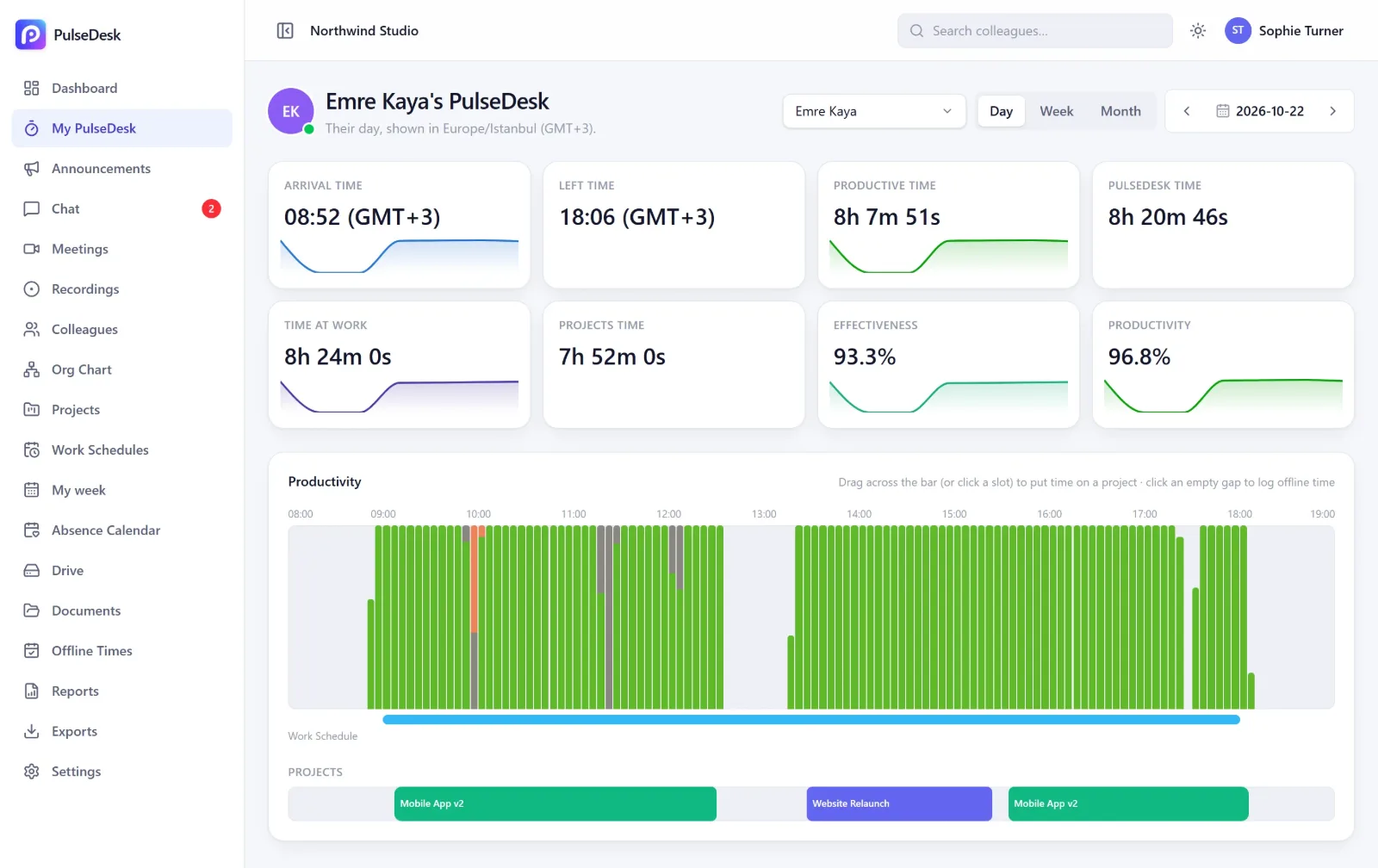
Automatic time tracking
Starts with the computer and records arrival, leaving and time at work. Works offline and catches up when the connection is back.
Apps, websites & document titles
See which apps, websites and documents the time went to - grouped by category.
Idle & private time
Idle time is detected automatically. People can switch on private time for personal breaks, and it is never tracked.
Offline time with approval
Time worked away from the computer is added in a few clicks and approved by a manager - it then counts like any other work.
Projects & tasks
Put time on projects and tasks with a timer or straight from the productivity bar.
Windows & Mac app
A light desktop app with a tray icon, automatic updates and protection against being closed by accident.
Productivity insights
Turn activity into clear numbers
Productivity, effectiveness and attendance for every person and team, compared with their planned hours.
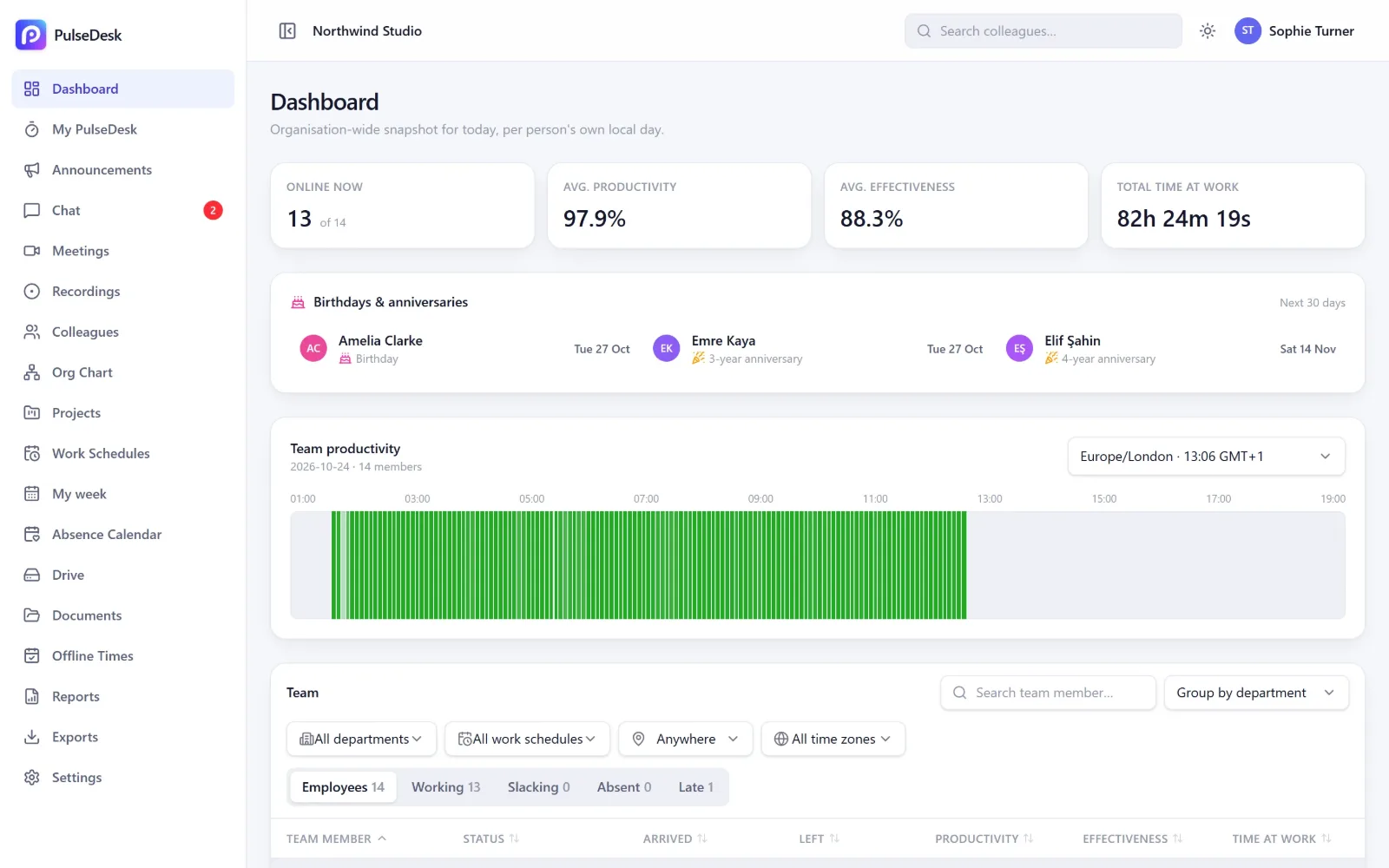
Productivity score
Apps and websites are rated productive, unproductive or neutral - with company and department rules you can change.
Effectiveness
Time worked compared with the planned shift, so part-timers and night shifts are measured fairly.
Screenshots
Optional periodic screenshots, visible only to owners and people you give permission. You set the interval and how long they are kept.
Plus & ScaleLive team dashboard
Who is working now, who arrived late, who is on leave - filtered by department, schedule or time zone.
Time-zone aware
Every time is shown in the person's own local time with its time zone, e.g. 08:04 (IST).
Notifications
Choose which events notify people - from start-of-day reminders to approvals waiting for you.
Workforce management
Plan the week, handle leave, respect holidays
Work schedules, a weekly rota, leave requests and public holidays - all connected, so everything else stays correct.
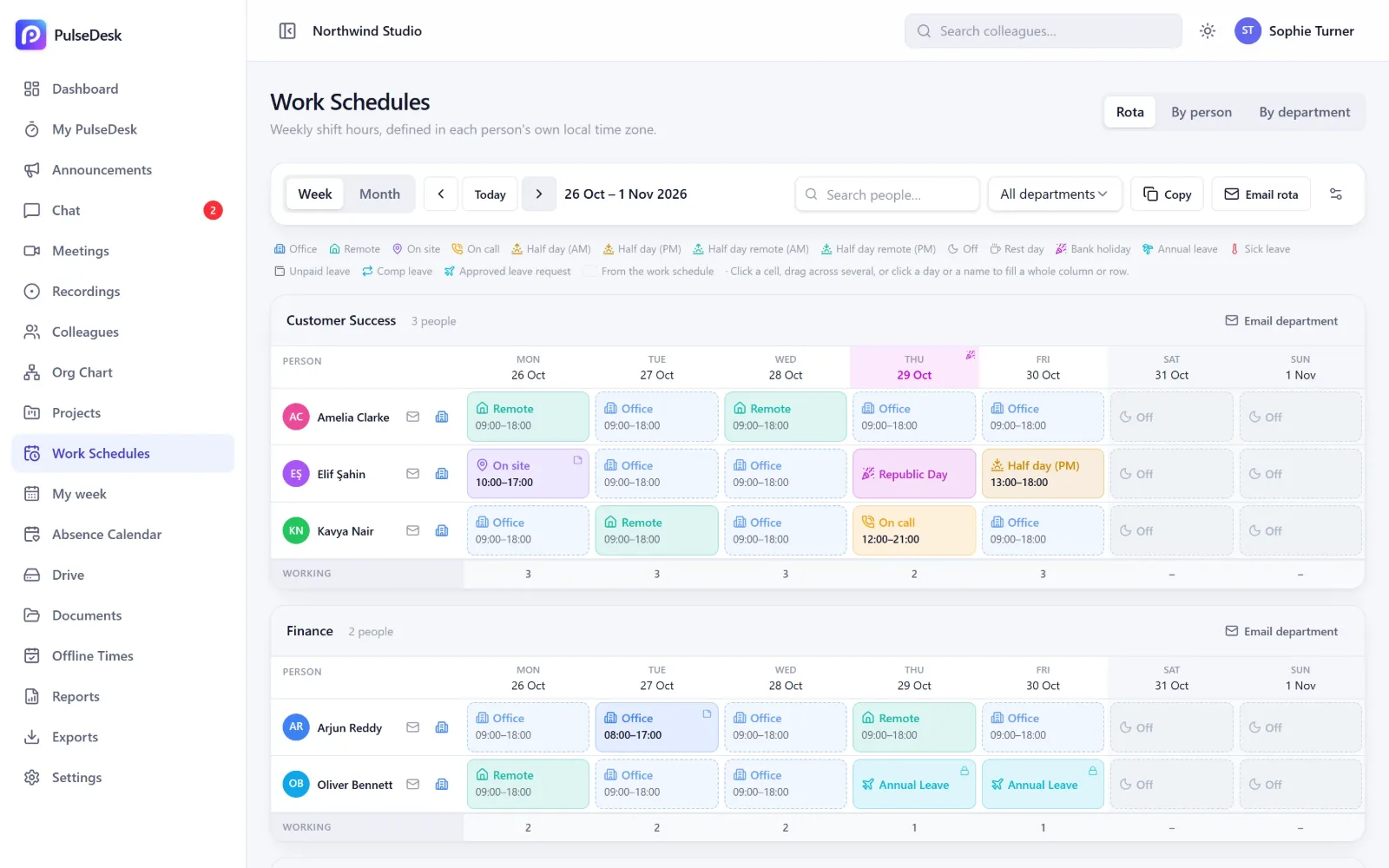
Rota & shift planning
Plan office, remote, on site, on call, half days and days off for each person or department. Email each person their week.
Plus & ScaleWork schedules
Working hours per person or department in their own time zone - they drive late arrivals and effectiveness.
Leave requests & balances
Request, approve and track leave with rules for each country, accruals and carry-over. Approved leave updates the rota by itself.
Public holidays
Bank holidays for each person's own country, a few years ahead and translated. Add company days off whenever you like.
Org chart & directory
Departments, managers and reporting lines, with each colleague's local time and status.
Roles & permissions
Owner, admin, manager and employee roles, plus HR access and fine-grained permissions per person.
Communication
Chat and meetings, right where the work is
No extra tools: message colleagues, call them or run a video meeting - with recordings and AI summaries.
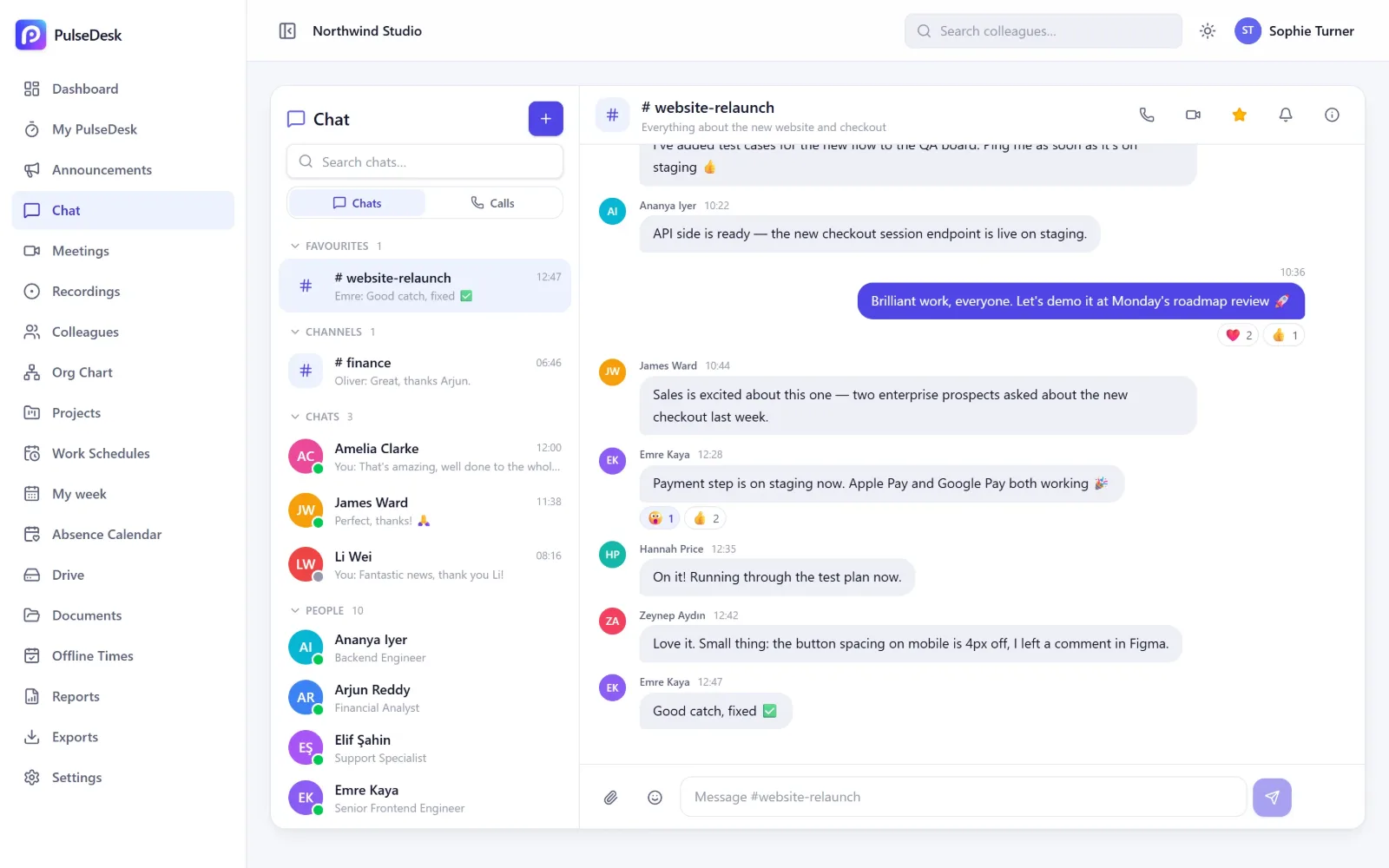
Team chat
Direct messages, groups, department groups and channels with files, reactions, mentions and favourites.
Plus & ScaleCalls & video meetings
Voice and video calls, screen sharing, background blur and noise reduction. Invite guests from outside with a calendar invite.
Recordings & AI summaries
Record a meeting with everyone's consent and get a transcript and a clear summary report by email.
Documents & drive
Company documents, personnel files and a shared drive with secure share links.
Announcements
Share news with the whole company or specific departments, with optional email delivery.
AI & reports
Answers, not spreadsheets
Lucy answers questions about your data in seconds, and reports arrive in your inbox without anyone building them.
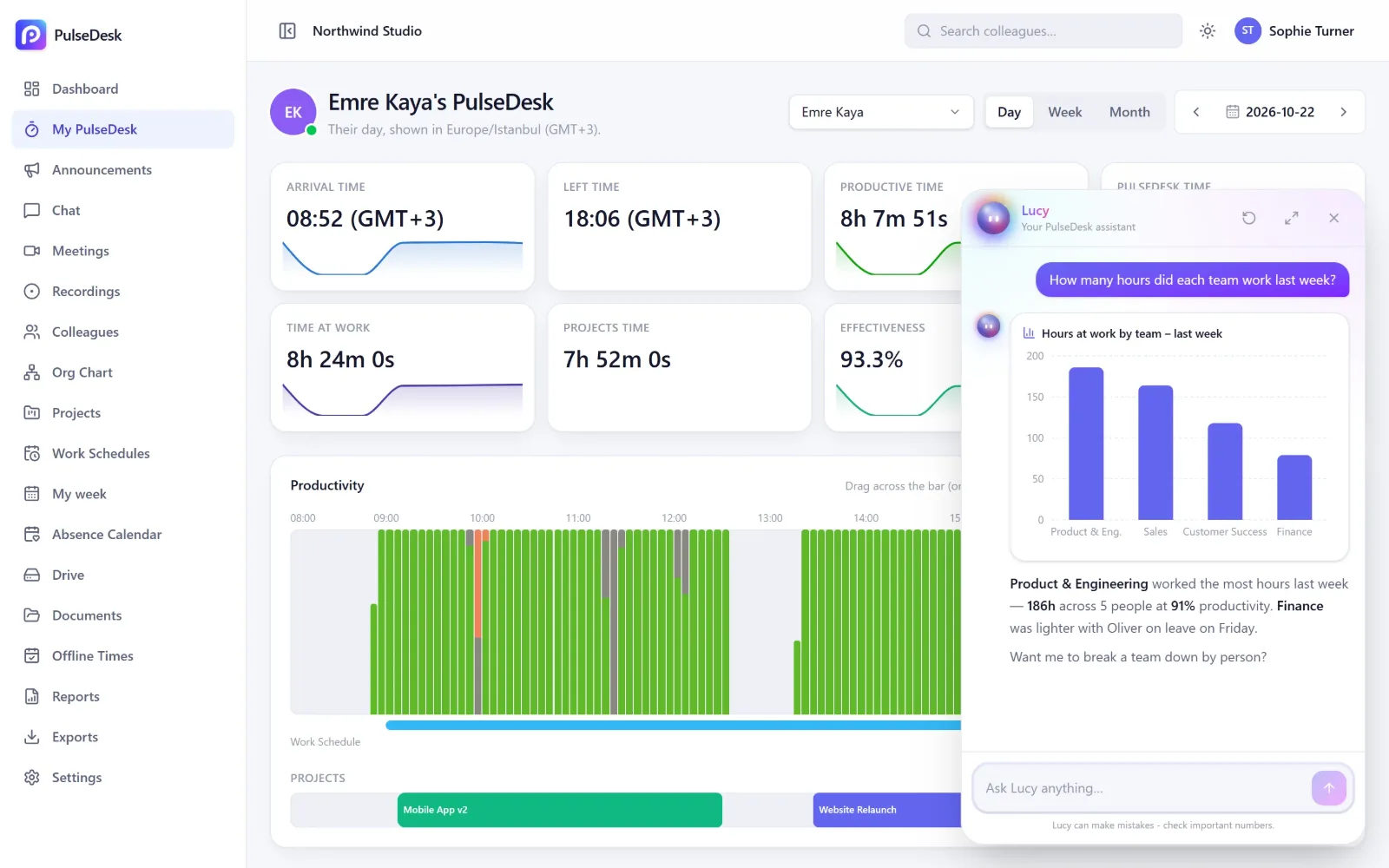
Lucy, the AI assistant
Ask in plain language and get answers with charts and tables. Lucy can also message colleagues, book meetings and take you to any page - always within each person's permissions.
NewReports & trends
Productivity trends, weekly team reports and leave reports with filters by person, department and date.
Daily attendance email
Every morning: who started late, who has not opened PulseDesk and who is on leave - in each person's own time zone.
Exports
Download shifts and time data as CSV for payroll or your own analysis.
See your team's day clearly - starting today
Set up your company in minutes, invite your team and watch the first insights arrive the same day.
No credit card needed · Windows & Mac · Cancel any time