
Time tracking that works for you
PulseDesk records work time automatically, turns it into clear productivity insights and keeps rota, leave and team communication in one place - for teams in every time zone.
- No credit card needed
- Set up in minutes
- Windows & Mac
- GDPR & KVKK ready
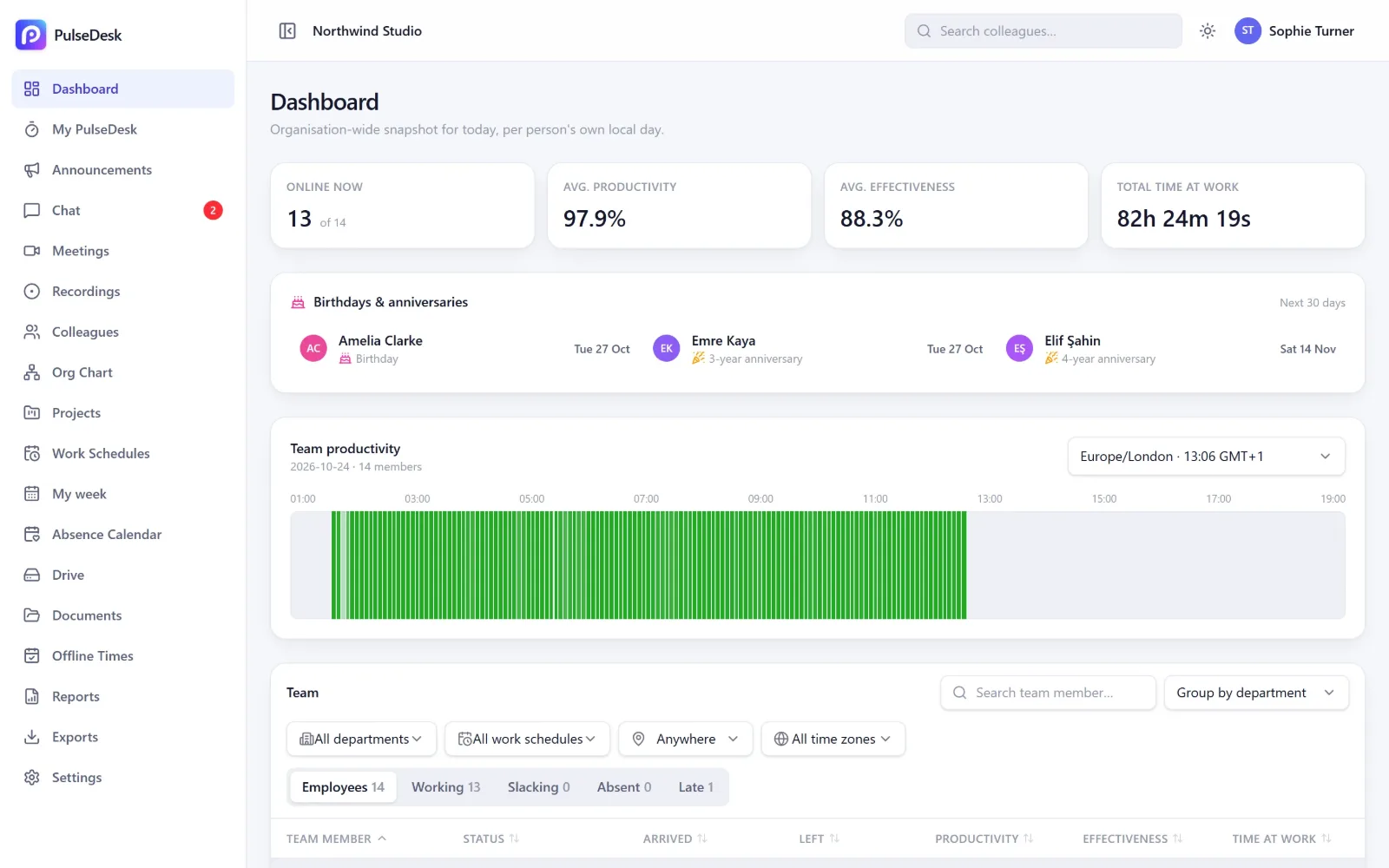
Built for teams spread across the world
What is PulseDesk?
PulseDesk is an employee time tracking and productivity platform for companies of every size. A light desktop app for Windows and Mac records work time, active apps and websites automatically, and the web dashboard turns it into productivity, attendance and effectiveness reports - in each person's own time zone. PulseDesk also covers rota and shift scheduling, leave and public holidays, team chat and video meetings with AI summaries, and Lucy, an AI assistant that answers questions about your team's data. It is built for transparent, GDPR- and KVKK-compliant use on company devices, and plans start at $4 per user per month.
Everything in one place
One workspace for time, productivity and your team
Stop stitching together a time tracker, a rota spreadsheet, a leave calendar and a chat app. PulseDesk does it all - and everything is aware of each person's own time zone.
Automatic time tracking
The desktop app records arrival, leaving, apps and websites in the background - no timers to forget.
Learn moreProductivity insights
Apps and sites are rated productive, neutral or unproductive, so every day turns into clear numbers.
Learn moreRota & work schedules
Plan the week - office, remote, on site, half days - and everyone sees their own schedule.
Learn moreLeave & absences
Requests, approvals and balances with leave rules for each country, plus public holidays.
Learn moreOffline time approvals
Worked away from the computer? Add the time, a manager approves it, the day is complete.
Learn moreChat & meetings
Team chat, calls and video meetings with recordings and AI meeting summaries.
Learn moreLucy, your AI assistant
Ask about hours, lateness or leave and get answers with charts - in your language.
Learn moreReports that arrive by themselves
Daily attendance and weekly team reports in your inbox, plus trends and CSV exports.
Learn moreYour day at a glance
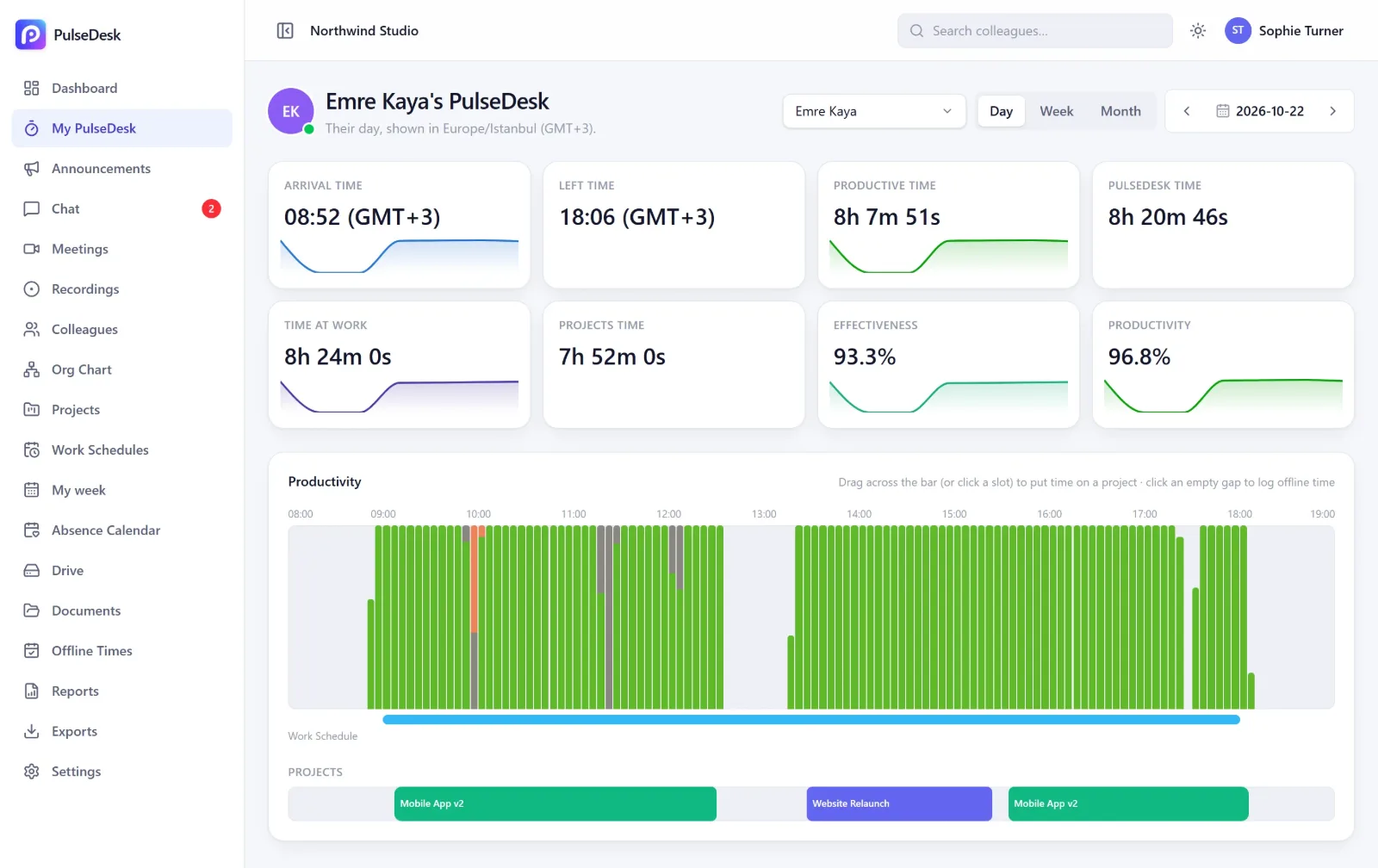
Every day, measured without anyone lifting a finger
Arrival and leaving times, time at work, productive time and effectiveness against the planned schedule - all on one screen, with a 5-minute productivity bar for the whole day.
- Automatic - the desktop app starts with the computer and works in the background
- Fair - idle time, private time and approved offline time are counted correctly
- Clear - see exactly which apps and websites the time went to
Plan the week
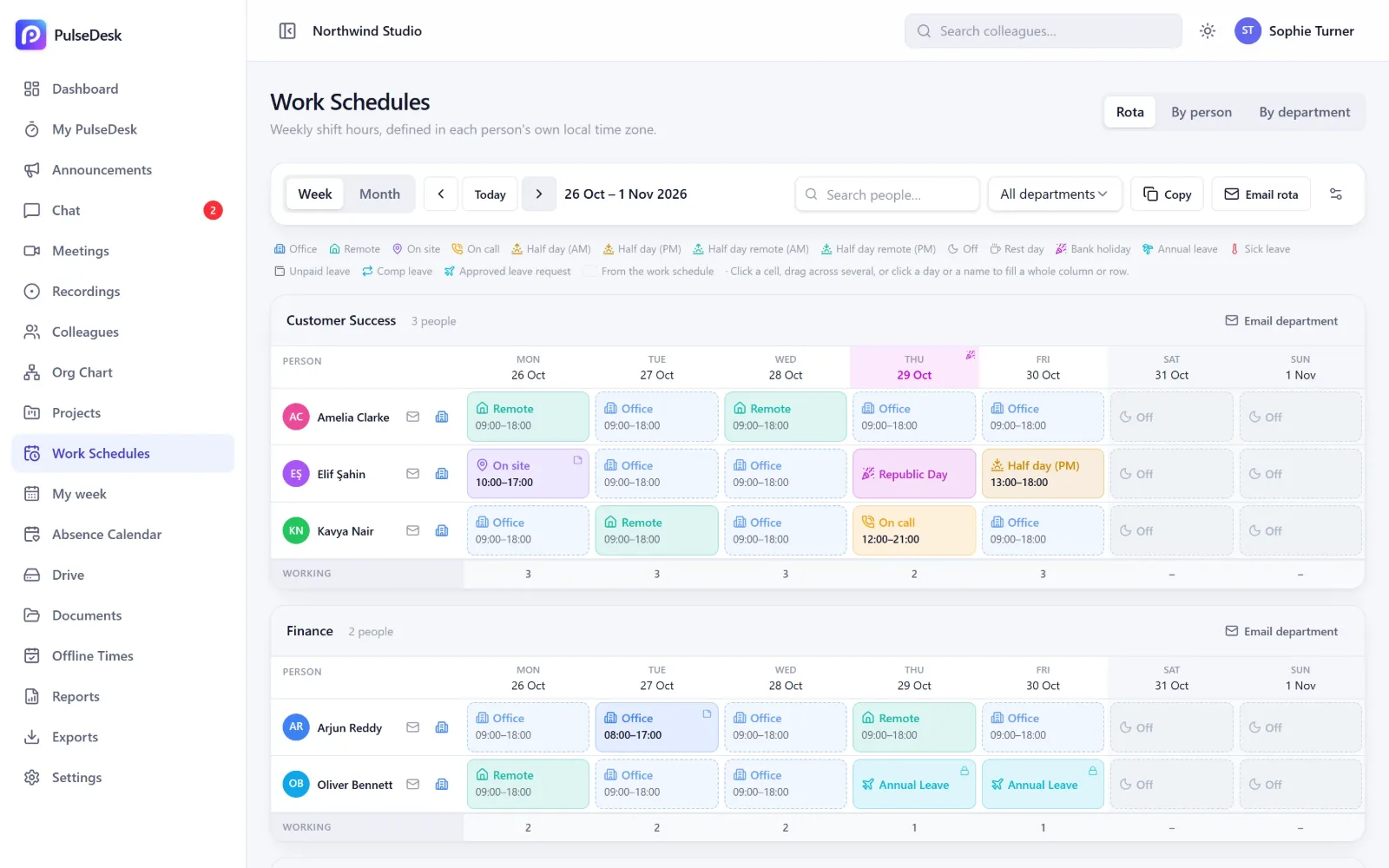
A rota everyone can read - and it updates itself
Drag across the week to plan who is in the office, remote, on site or off. Approved leave and public holidays appear on the rota automatically, and each person can get their week by email.
- Per person or per department - and the plan becomes their working hours everywhere
- Public holidays for each person's own country, translated
- Managers and HR edit their teams; employees see their own week
Your AI assistant
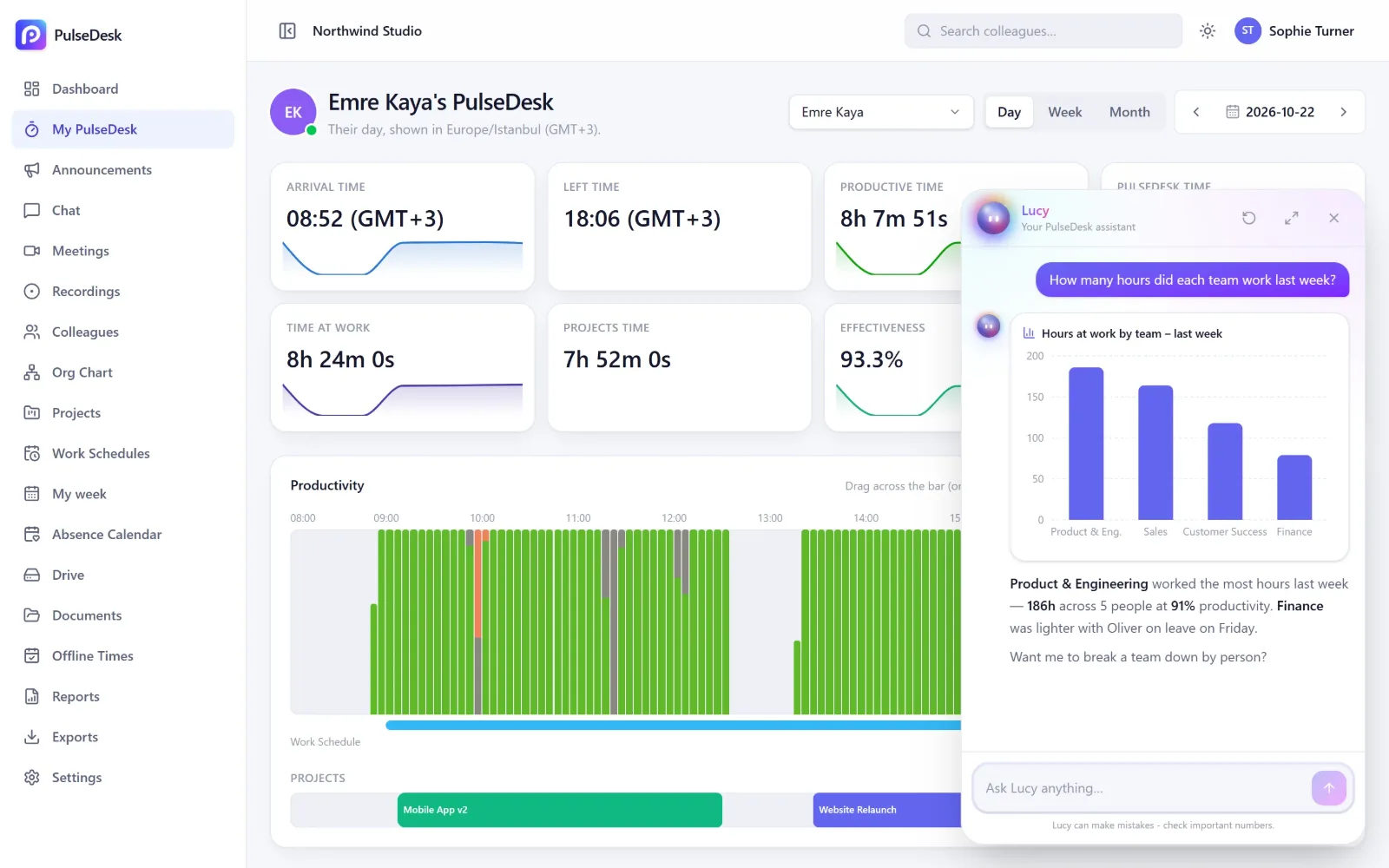
Just ask Lucy
"Who was late most often this month?" "How many leave days do I have left?" Lucy answers from your PulseDesk data with charts and tables - and only shows what the person asking is allowed to see.
- Team reports in seconds for managers, personal insights for everyone
- Takes action - messages a colleague, books a meeting or opens the right page
- Speaks your language - answers in the language you write in
Transparent by design
Insight without secrecy
PulseDesk is built for transparent, lawful workplace analytics on company devices - never for covert monitoring.
How we protect dataAlways visible
The desktop app shows an icon in the system tray and tells people what it records when they sign in.
Private time
People can pause tracking for personal time; idle time is detected and kept out.
Role-based access
Employees see their own data. Managers see their teams. Sensitive views need permission.
Your data, your rules
You decide what is tracked and for how long; delete or export it whenever you need to.
Get started in minutes
Three steps to your first insights
- 1
Create your company
Sign up, add departments and working hours. Choose your language and time zone.
- 2
Invite your team
Everyone gets an email invitation, installs the desktop app on Windows or Mac and signs in.
- 3
See the results
Time, productivity and attendance appear the same day - in the dashboard and in your inbox.
Simple pricing
Fair per-person pricing, no surprises
Start free, pick the plan that fits and change it whenever your team changes. Pay monthly or save 10% with annual billing.
Frequently asked questions
What does PulseDesk track?
Does it work for teams in different countries?
Is PulseDesk legal to use?
Which devices are supported?
Can employees see their own data?
How do I get started?
See your team's day clearly - starting today
Set up your company in minutes, invite your team and watch the first insights arrive the same day.
No credit card needed · Windows & Mac · Cancel any time